

How Lighting Changes a Virtual Hair Color Result
A digital hair-color preview depends on the source photo. If hair disappears into shadow, highlights are blown out, or colored light falls across the strands, the editor has less reliable information to work with. Some parts of the hairstyle may then be harder to recolor convincingly at all.
For a photo hair color editor, the most useful source is usually a frame where the hair is clearly readable from roots to ends. Even illumination, visible strand separation, and a clean hairline give the new color enough structure to follow instead of forcing the edit to guess.
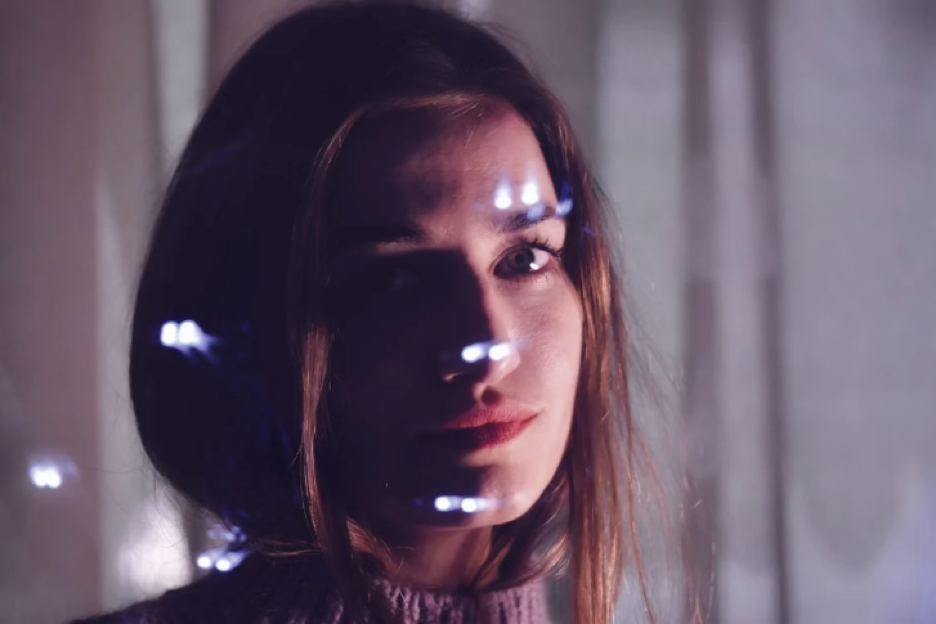
Good source light reveals the whole hairstyle
The best reference photo does not need to be studio-lit. What matters is that the main sections of the hair remain visible.
If one side falls into deep shadow, the darker area may lose strand detail. If strong sunlight hits the opposite side, bright sections can lose texture as well. A more even exposure preserves information across the hairstyle, making it easier to maintain depth after recoloring.
Look for readable highlights and shadows
Highlights and shadows should still exist — flat lighting is not the goal. They are what give the hairstyle shape.
The useful difference is whether those areas still contain detail. A bright reflection should show some underlying strand structure, while a shadowed section should not collapse into one solid dark mass. When both remain readable, the new shade can follow the original volume instead of replacing it with a flat block of color.
Check the hairline and outer edges
Fine hairs around the forehead, temples, and outer silhouette are especially important in a color change. If the hair blends into a dark wall, bright window, or similarly colored background, those edges become difficult to separate cleanly.
Before choosing a source frame, check whether:
• the hairline is visible against the skin;
• the outer silhouette is distinct from the background;
• highlights still contain detail;
• dark sections show more than one solid tone;
• motion blur has not softened fine strands.
A frame that passes those checks gives the edit clearer boundaries to work with. It also reduces the risk of color bleeding into skin or background areas.
Avoid heavily filtered or compressed photos
Beauty filters, aggressive noise reduction, screenshots, and repeatedly compressed social-media images can remove subtle strand detail before the recoloring begins. The hair may still look acceptable at normal size, but its internal texture has already been simplified.
Whenever possible, use the original camera image or the highest-quality version available. More source information gives the recolor a stronger foundation.
Choose the clearest frame, not necessarily the prettiest one
The most flattering portrait is not always the best source for a color preview. A dramatic backlit shot may hide half the hairstyle, while a simpler frame in soft, even light can preserve far more usable detail.
For virtual color work, clarity comes first. When the hairstyle is visible from roots to edges, the preview is more likely to look like recolored hair rather than color placed over a photograph.